> ## Documentation Index
> Fetch the complete documentation index at: https://docs.berrybyte.net/llms.txt
> Use this file to discover all available pages before exploring further.
# Sub-Users
> How to add sub-users to your game server with custom permissions and share server access.
Add sub-users to share server access with friends or admins. Control what they can do with custom permissions.
## Adding a Sub-User
1. Go to the **Users** tab in your [control panel](/panel/overview)
2. Click **New User**
3. Fill out the form and select which permissions they should have
4. Click **Add User**
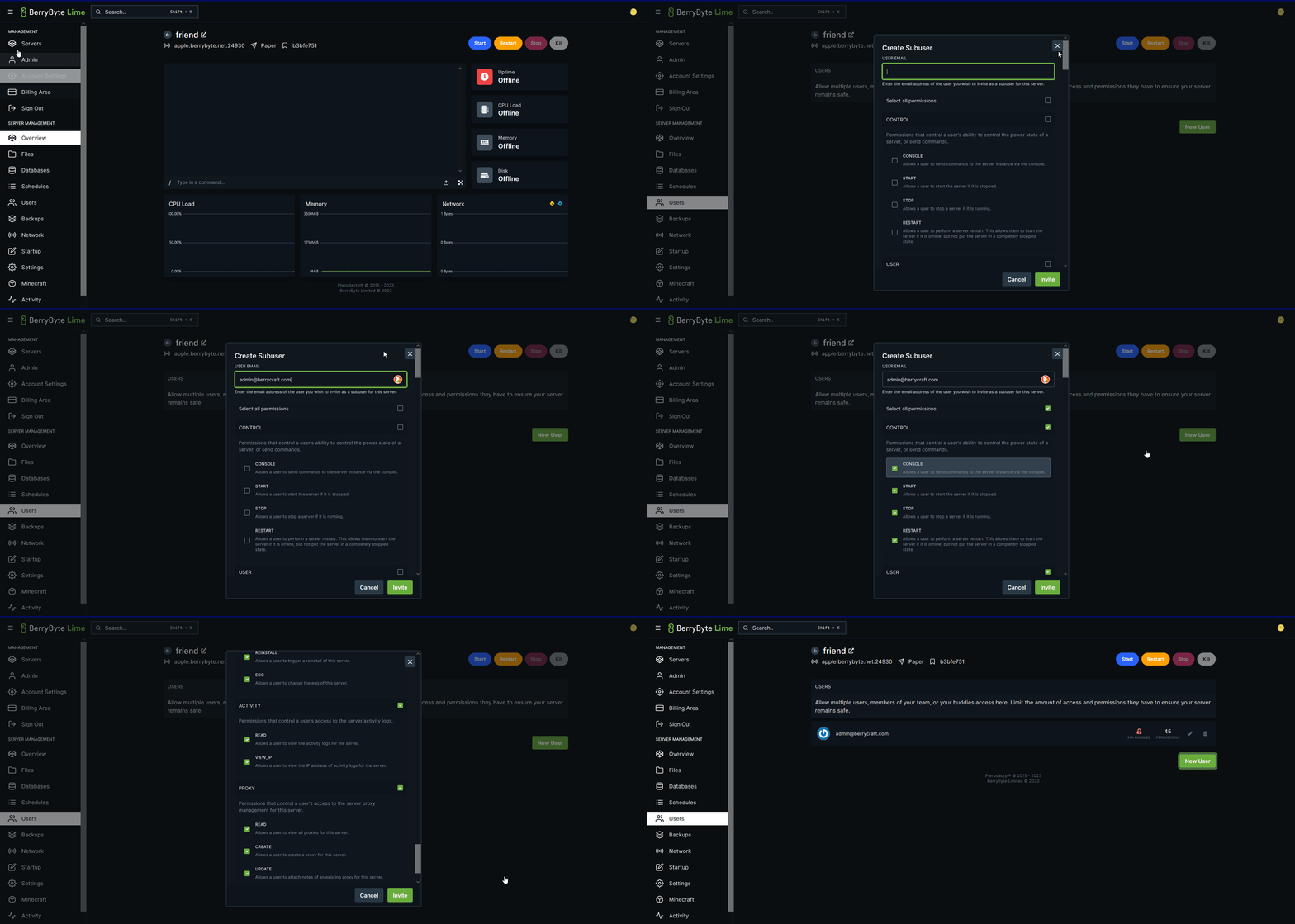 The new user will receive login credentials via email. If they don't get the email, they can use the **Forgot Password** option to set their password.
## Managing Sub-Users
* **Change permissions**: Edit their user settings anytime
* **Revoke access**: Remove them from your server when needed
* **View activity**: Check the **Activity** tab to see what they've done on the panel
Need help? [Contact us](https://berrybyte.net/ticket) or ask in our [Discord](https://berrybyte.net/discord).
The new user will receive login credentials via email. If they don't get the email, they can use the **Forgot Password** option to set their password.
## Managing Sub-Users
* **Change permissions**: Edit their user settings anytime
* **Revoke access**: Remove them from your server when needed
* **View activity**: Check the **Activity** tab to see what they've done on the panel
Need help? [Contact us](https://berrybyte.net/ticket) or ask in our [Discord](https://berrybyte.net/discord).