> ## Documentation Index
> Fetch the complete documentation index at: https://docs.berrybyte.net/llms.txt
> Use this file to discover all available pages before exploring further.
# Start, Stop & Restart
> Learn how to start, stop, and restart your server using the berrybyte dashboard.
The berrybyte dashboard includes simple controls that let you start, stop, and restart your server at any time.
These actions are essential when applying changes, fixing issues, or performing maintenance.
***
## Where to Find the Controls
You’ll see the **Start**, **Stop**, and **Restart** buttons at the top of your server dashboard.
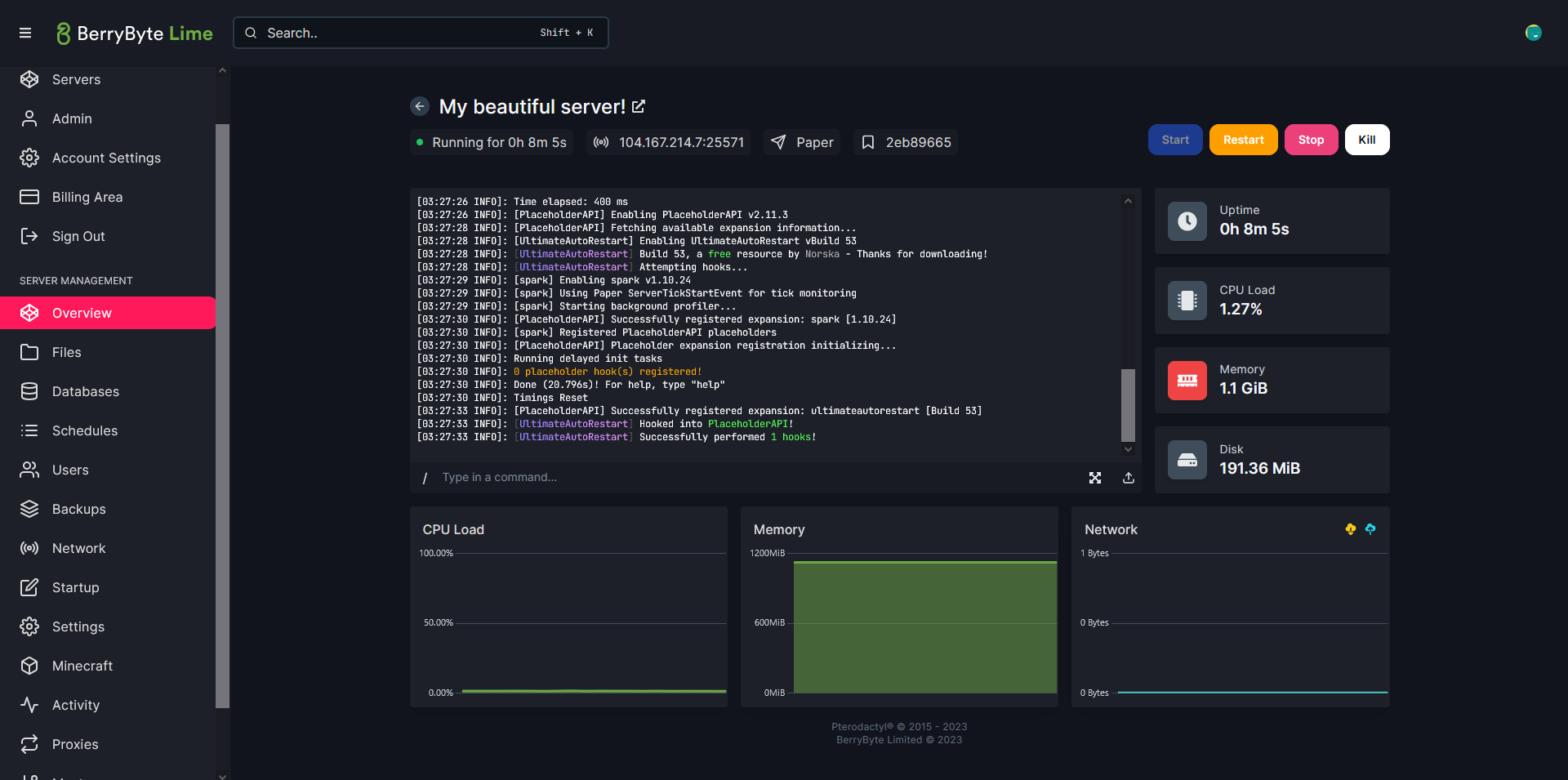 These buttons are always visible when viewing your server.
***
## Start Your Server
Click **Start** to turn on your server.
Use this when:
* You just created your server
* Your server was previously stopped
* You installed new files and want to test them
After clicking Start, allow **1–3 minutes** for the server to fully boot.
***
## Stop Your Server
Click **Stop** to safely shut down your server.
Stopping:
* Saves worlds, maps, and data
* Closes all active connections
* Prevents file corruption
* Allows large file uploads safely
These buttons are always visible when viewing your server.
***
## Start Your Server
Click **Start** to turn on your server.
Use this when:
* You just created your server
* Your server was previously stopped
* You installed new files and want to test them
After clicking Start, allow **1–3 minutes** for the server to fully boot.
***
## Stop Your Server
Click **Stop** to safely shut down your server.
Stopping:
* Saves worlds, maps, and data
* Closes all active connections
* Prevents file corruption
* Allows large file uploads safely
 Stop your server before:
* Uploading worlds or large files
* Editing configs directly
* Switching server versions
* Performing maintenance
***
## Restart Your Server
Click **Restart** to shut down and immediately start your server again.
Restarting:
* Applies configuration changes
* Refreshes memory
* Reloads mods/plugins
* Fixes many common issues
Restart your server after:
* Changing settings
* Installing or removing mods/plugins
* Uploading new worlds
* Experiencing lag, TPS drops, or crash loops
***
## When to Use Each Option
| Action | Use When… |
| ----------- | ------------------------------------------------------ |
| **Start** | Server is offline and ready to boot |
| **Stop** | Uploading files, doing maintenance, switching versions |
| **Restart** | Applying changes, fixing lag, resolving errors |
***
## If Your Server Won't Start
If the server stays on **Starting** or **Pending**:
* Check the logs for errors
* Make sure your mods/configs are valid
* Remove any recent uploads
* Try restarting again
Still not working? [Get help](https://berrybyte.net/contact)
Stop your server before:
* Uploading worlds or large files
* Editing configs directly
* Switching server versions
* Performing maintenance
***
## Restart Your Server
Click **Restart** to shut down and immediately start your server again.
Restarting:
* Applies configuration changes
* Refreshes memory
* Reloads mods/plugins
* Fixes many common issues
Restart your server after:
* Changing settings
* Installing or removing mods/plugins
* Uploading new worlds
* Experiencing lag, TPS drops, or crash loops
***
## When to Use Each Option
| Action | Use When… |
| ----------- | ------------------------------------------------------ |
| **Start** | Server is offline and ready to boot |
| **Stop** | Uploading files, doing maintenance, switching versions |
| **Restart** | Applying changes, fixing lag, resolving errors |
***
## If Your Server Won't Start
If the server stays on **Starting** or **Pending**:
* Check the logs for errors
* Make sure your mods/configs are valid
* Remove any recent uploads
* Try restarting again
Still not working? [Get help](https://berrybyte.net/contact)