> ## Documentation Index
> Fetch the complete documentation index at: https://docs.berrybyte.net/llms.txt
> Use this file to discover all available pages before exploring further.
# Getting Started With Your Server
> Step-by-step guide to creating your first game server with berrybyte. Learn how to choose games, configure servers, connect players, and manage your Minecraft, Palworld, or Rust server.
# Setting up your first game server
Get your game server running in minutes. Follow these simple steps.
## Step 1: Choose Your Game
Go to [berrybyte.net](https://berrybyte.net) and click **Create a Server**. Pick your game from the list.
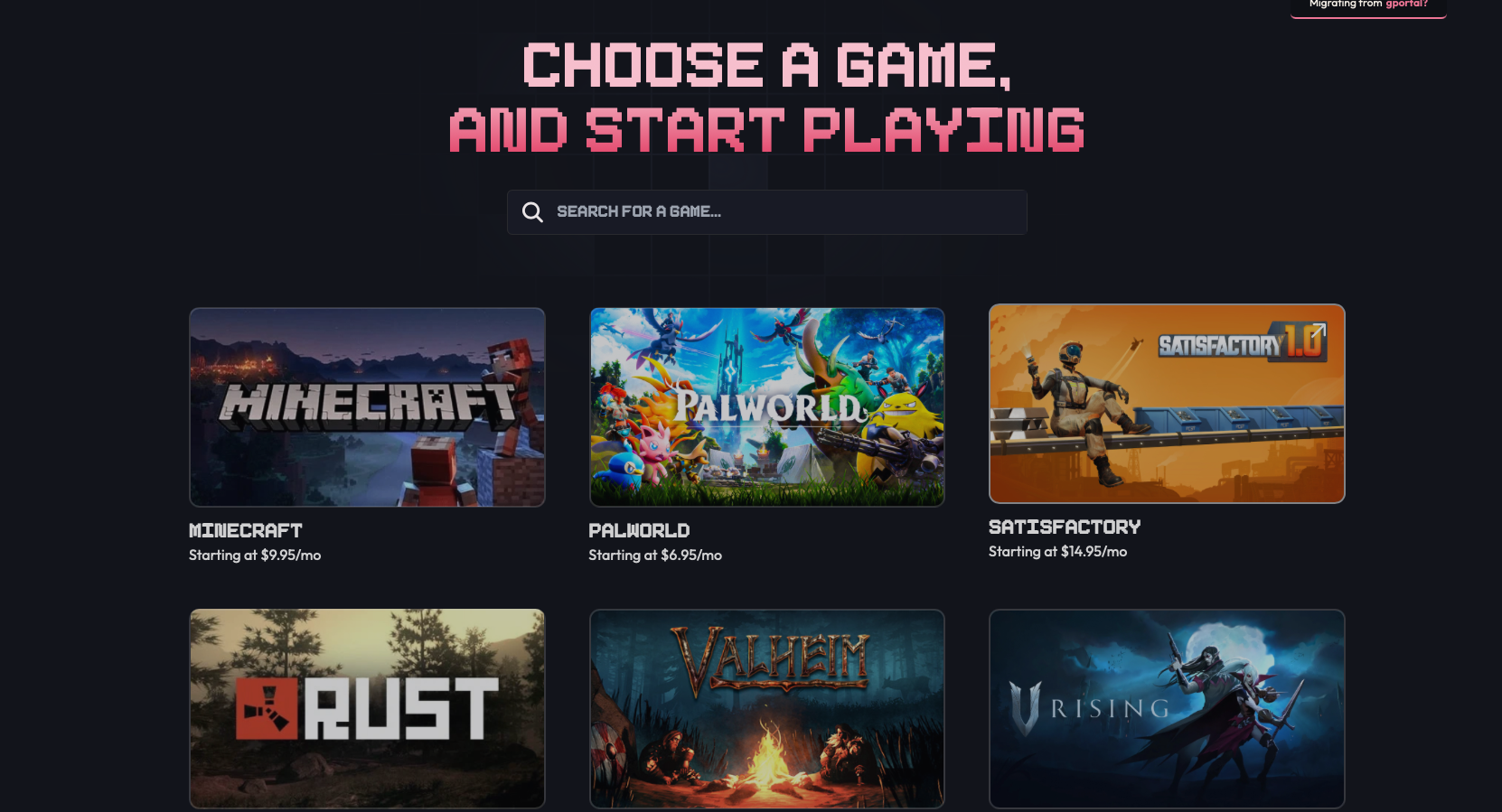 We support Minecraft, Palworld, Rust, Valheim, V Rising, and many more. Don't see your game? [Let us know](https://berrybyte.net/contact).
## Step 2: Configure Your Server
Pick your settings:
We support Minecraft, Palworld, Rust, Valheim, V Rising, and many more. Don't see your game? [Let us know](https://berrybyte.net/contact).
## Step 2: Configure Your Server
Pick your settings:
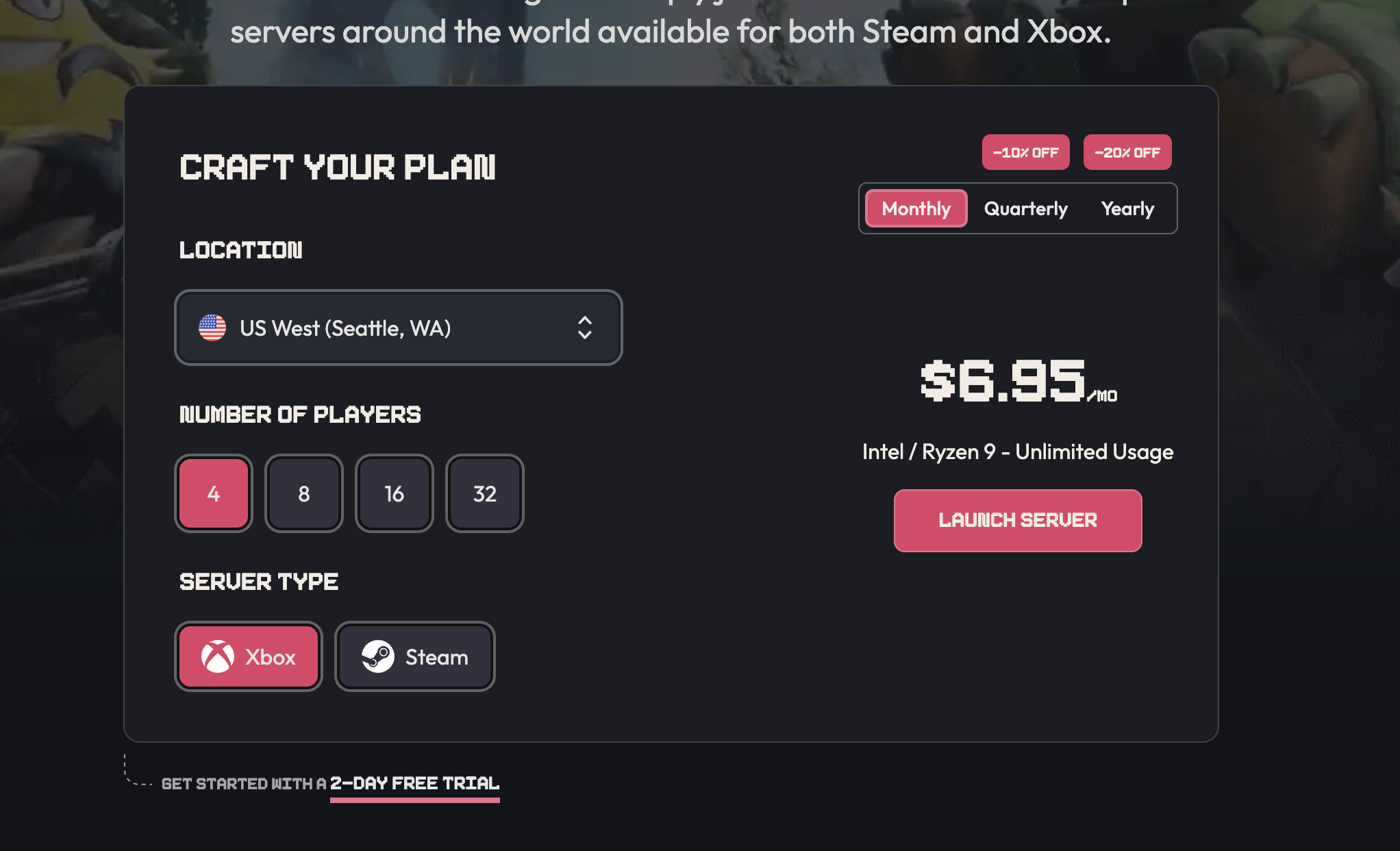 * **Location**: Choose the region closest to you
* **Player Slots**: How many players can join
* **RAM**: More RAM = generally better performance
Click **Launch Server** and complete checkout. We accept credit cards, PayPal, and crypto.
## Step 3: Access Your Game Panel
* **Location**: Choose the region closest to you
* **Player Slots**: How many players can join
* **RAM**: More RAM = generally better performance
Click **Launch Server** and complete checkout. We accept credit cards, PayPal, and crypto.
## Step 3: Access Your Game Panel
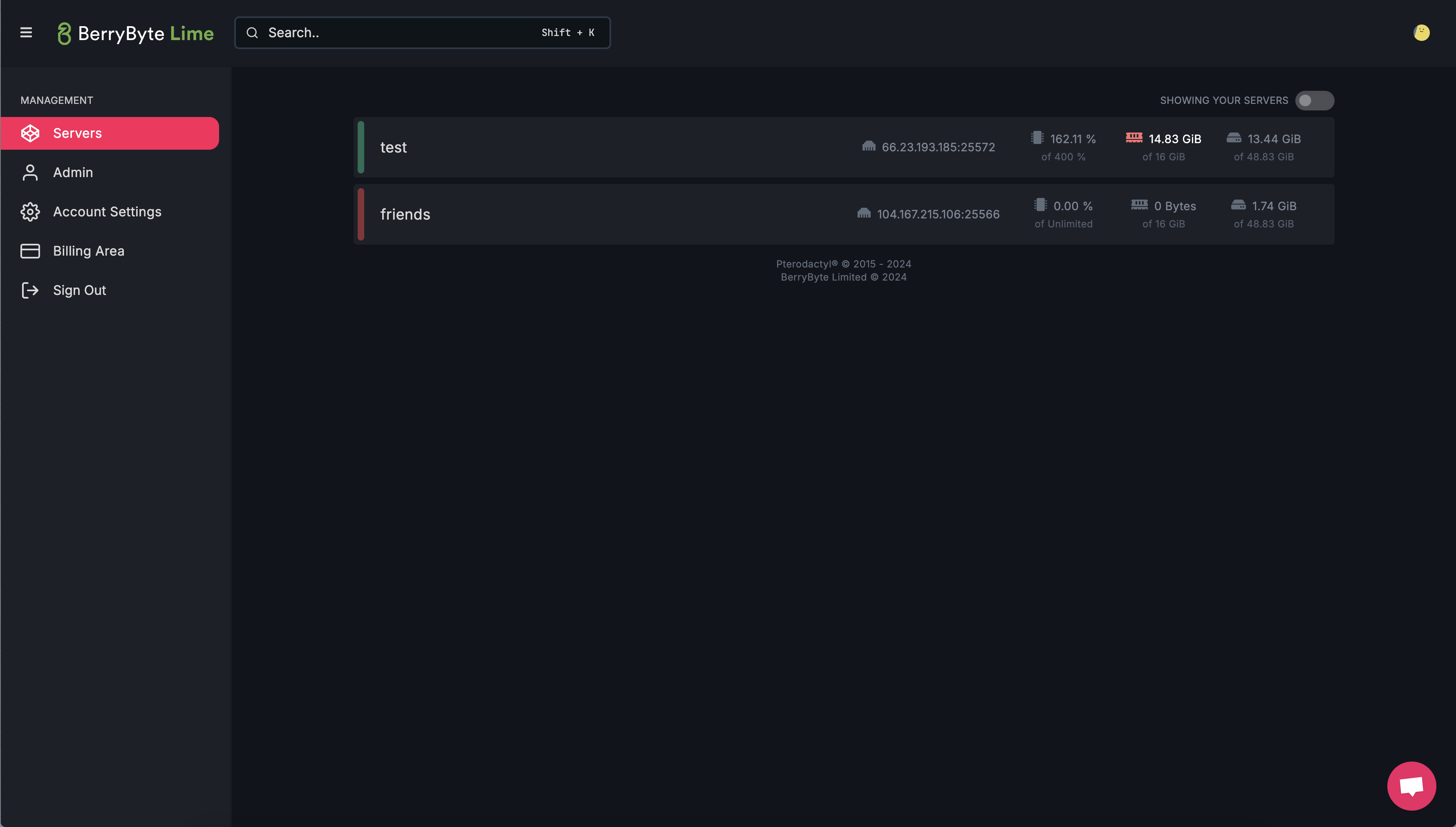 Check your email for the "Account Created" message. Click the login link to open your game panel.
Your panel lets you:
* Start, stop, and restart your server
* Manage files and settings
* View server logs
* Create backups
Server stuck on pending? It usually activates within 10 minutes. If not, [contact support](https://berrybyte.net/contact).
## Step 4: Start and Connect
1. In your panel, click **Start** to turn on your server
2. Wait 1-3 minutes for it to start up
3. Copy your server IP address from the panel
4. In your game, use "Direct Connect" or "Add Server" and paste the IP
Need game-specific help?
* [Minecraft](/games/minecraft/join-server)
* [Palworld](/games/palworld/join-server)
* [V Rising](/games/vrising/join-server)
* [Enshrouded](/games/enshrouded/join-server)
* [Soulmask](/games/soulmask/join-server)
## Next Steps
Your server is live! You can:
* Adjust settings in your panel
* Install mods or plugins
* Set up backups
* Configure player limits and passwords
## Need Help?
* [Live Chat](https://berrybyte.net/contact)
* [Discord](https://discord.com/invite/Pv8DMpXtma)
* Email: [support@berrybyte.net](mailto:support@berrybyte.net)
{/*
Check your email for the "Account Created" message. Click the login link to open your game panel.
Your panel lets you:
* Start, stop, and restart your server
* Manage files and settings
* View server logs
* Create backups
Server stuck on pending? It usually activates within 10 minutes. If not, [contact support](https://berrybyte.net/contact).
## Step 4: Start and Connect
1. In your panel, click **Start** to turn on your server
2. Wait 1-3 minutes for it to start up
3. Copy your server IP address from the panel
4. In your game, use "Direct Connect" or "Add Server" and paste the IP
Need game-specific help?
* [Minecraft](/games/minecraft/join-server)
* [Palworld](/games/palworld/join-server)
* [V Rising](/games/vrising/join-server)
* [Enshrouded](/games/enshrouded/join-server)
* [Soulmask](/games/soulmask/join-server)
## Next Steps
Your server is live! You can:
* Adjust settings in your panel
* Install mods or plugins
* Set up backups
* Configure player limits and passwords
## Need Help?
* [Live Chat](https://berrybyte.net/contact)
* [Discord](https://discord.com/invite/Pv8DMpXtma)
* Email: [support@berrybyte.net](mailto:support@berrybyte.net)
{/*
If you are ever lost or would like to look for something specific, use the
search bar on the top right, use the shortcut `CTRL + K` or get in touch with us on
[Discord](https://discord.com/invite/Pv8DMpXtma).
*/}