> ## Documentation Index
> Fetch the complete documentation index at: https://docs.berrybyte.net/llms.txt
> Use this file to discover all available pages before exploring further.
# How to Ban and Unban Players on a Soulmask Server
> A guide on banning and unbanning players on a Soulmask server.
## Finding SteamID of a Player
To kick or ban a palyer on a Soulmask server, you need to find the ID of the player:
1. Visit the [SteamID Finder website](https://steamid.io)
2. In the search bar, input the player's Steam profile URL or username
3. Click lookup, and copy the SteamID64 value
## Banning a Player in Soulmask
After you've found the Player ID or Steam ID of the player, let's permanently ban them:
1. Make yourself an admin (see Soulmask admin setup guide)
2. Run the GM command: `gm EnableServerPermissionList 1 1`
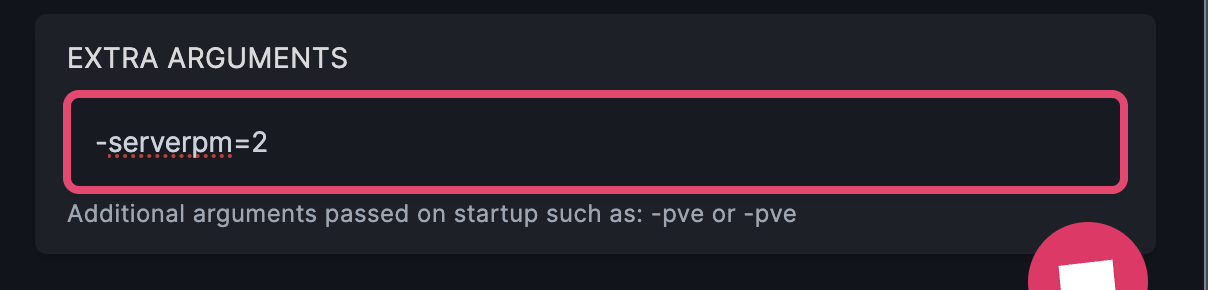
3. In the **Startup** tab, or to your startup arguments, add `-serverpm=2`
 2. Run the command: `AddServerPermissionList 1 `
And the player won't be able to join the server anymore. Be wary of ban evasion with alt accounts though!
## Unbanning a Player in Soulmask
To unban a player from your Soulmask server, you will need to run the following GM command:
1. Ensure you're an admin on the server
2. Open the console by pressing the `~` key in-game.
3. Run the command: `RemoveServerPermissionList 1 `
## Related Guides
* [Soulmask Introduction](/games/soulmask/introduction) - Learn more about Soulmask server hosting
* [Change Server Settings](/games/soulmask/change-server-settings) - Customize server parameters
* [Palworld Player Management](/games/palworld/ban-and-kick-players) - Cross-game player management
* [V Rising Player Management](/games/vrising/ban-and-kick-players) - Similar player management system
Still need help banning or unbanning players? Shoot us a message on our
[community Discord server](https://berrybyte.net/discord) or [contact support](https://berrybyte.net/support).
2. Run the command: `AddServerPermissionList 1 `
And the player won't be able to join the server anymore. Be wary of ban evasion with alt accounts though!
## Unbanning a Player in Soulmask
To unban a player from your Soulmask server, you will need to run the following GM command:
1. Ensure you're an admin on the server
2. Open the console by pressing the `~` key in-game.
3. Run the command: `RemoveServerPermissionList 1 `
## Related Guides
* [Soulmask Introduction](/games/soulmask/introduction) - Learn more about Soulmask server hosting
* [Change Server Settings](/games/soulmask/change-server-settings) - Customize server parameters
* [Palworld Player Management](/games/palworld/ban-and-kick-players) - Cross-game player management
* [V Rising Player Management](/games/vrising/ban-and-kick-players) - Similar player management system
Still need help banning or unbanning players? Shoot us a message on our
[community Discord server](https://berrybyte.net/discord) or [contact support](https://berrybyte.net/support).