> ## Documentation Index
> Fetch the complete documentation index at: https://docs.berrybyte.net/llms.txt
> Use this file to discover all available pages before exploring further.
# How to Set a Password on a Palworld Server
> A guide on how to turn a Palworld server private and set a password.
Want to protect your server from unwanted joins? You can set a password on your Palworld server to put it behind lock and key, ensuring only you and the people you share the password with can join the server!
## Setting a password on a Palworld server
1. Login to the [game panel](https://game.berrybyte.net)
2. Navigate to the **Palworld Settings** tab
3. Enter a password in the **Server Password** field
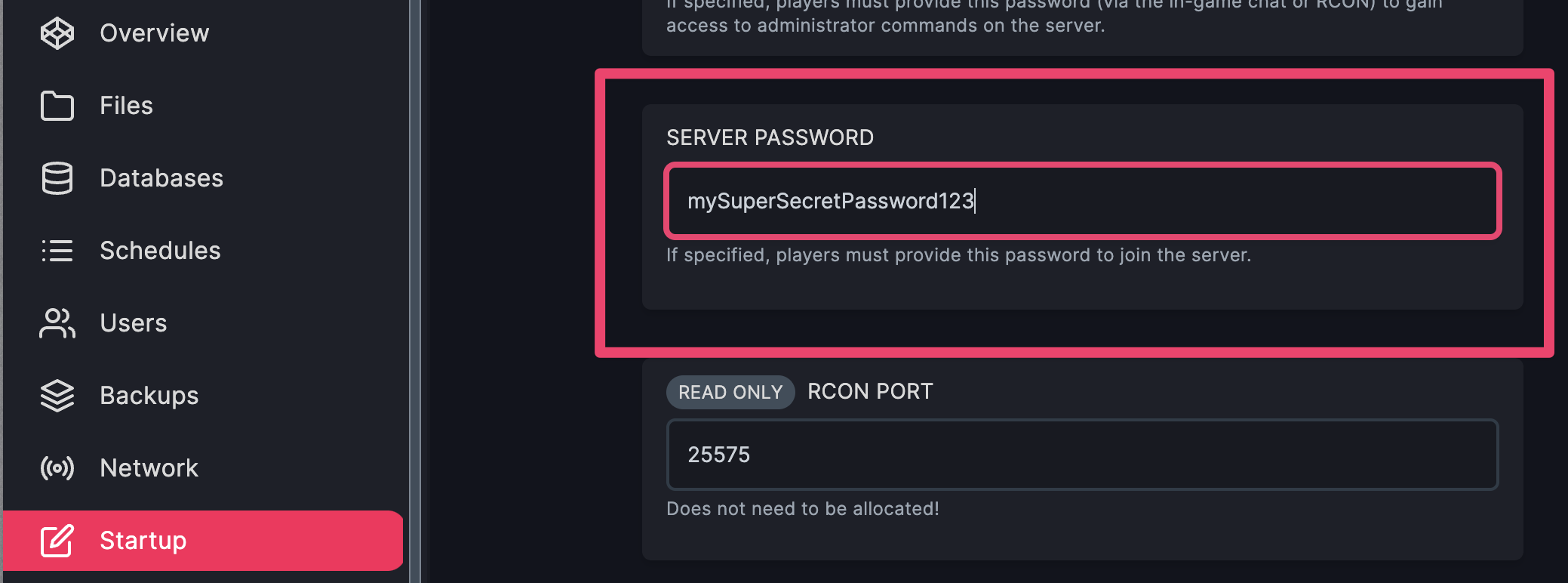 4. Restart the server
## Setting a password on a Palworld server (manual)
1. **Stop** the server
2. Navigate to `Pal/Saved/Config/LinuxServer/PalWorldSettings.ini`
3. Enter your password in `ServerPassword="replaceWithYourPassword"`
4. Restart the server
## Setting a password on a Palworld server (manual)
1. **Stop** the server
2. Navigate to `Pal/Saved/Config/LinuxServer/PalWorldSettings.ini`
3. Enter your password in `ServerPassword="replaceWithYourPassword"`
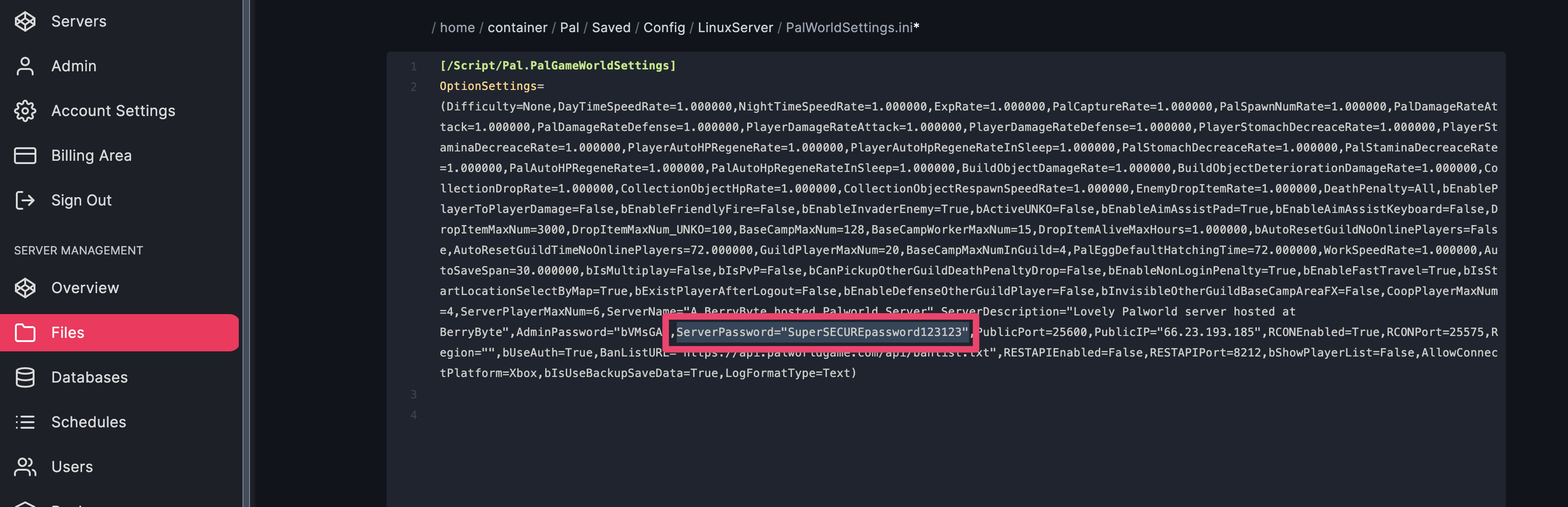 4. **Save** the file
5. **Start** the server
This will set the password you entered and will ask all players who join for the password.
Need help setting up a password for your [Palworld dedicated server](https://berrybyte.net/palworld-server-hosting)? Shoot us a message on our
[community Discord server](https://berrybyte.net/discord) or [contact support](https://berrybyte.net/support).
4. **Save** the file
5. **Start** the server
This will set the password you entered and will ask all players who join for the password.
Need help setting up a password for your [Palworld dedicated server](https://berrybyte.net/palworld-server-hosting)? Shoot us a message on our
[community Discord server](https://berrybyte.net/discord) or [contact support](https://berrybyte.net/support).