> ## Documentation Index
> Fetch the complete documentation index at: https://docs.berrybyte.net/llms.txt
> Use this file to discover all available pages before exploring further.
# How to Join and Connect to a Palworld Server on Xbox
> A guide on how to join a Palworld server on a Xbox dedicated server.
The new [Palworld Sakurajima update](https://blog.berrybyte.net/palworld-sakurajima-update-released/) brings [Xbox dedicated servers](https://berrybyte.net/palworld-server-hosting), and with it you'll need to know how to connect and join your Palworld server on Xbox.
## Enable community server
As you can't join a Palworld server with an IP addresses you'll need to enable your server as a community server.
To configure a Palworld server as a community server, add the `-publiclobby` option to your server's startup launch arguments. This is automatically done at [berrybyte](https://berrybyte.net/).
## Join and connect to Palworld Server on Xbox
1. Launch Palworld
2. Select **Join Multiplayer Game** from the main menu
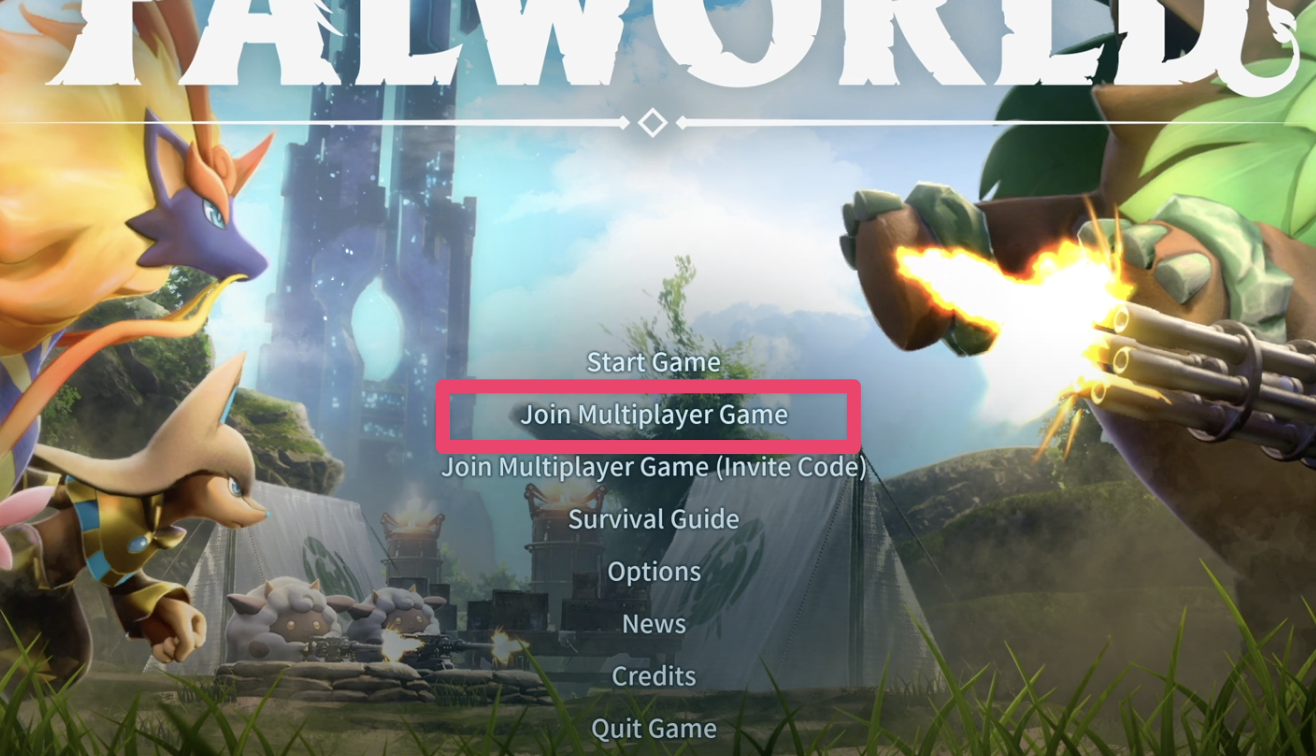 3. Select **Community Servers**
4. Search for the name of your server to find it
5. Click **Connect** which will connect and load you into your multiplayer server!
Allow the server a few moments to accept the connection and then voilà, you should now be able to join your [Palworld server](https://berrybyte.net/palworld-server-hosting) from Xbox!
Running into issues? Join our [Discord community](https://berrybyte.net/discord) or [contact support](https://berrybyte.net/spport).
3. Select **Community Servers**
4. Search for the name of your server to find it
5. Click **Connect** which will connect and load you into your multiplayer server!
Allow the server a few moments to accept the connection and then voilà, you should now be able to join your [Palworld server](https://berrybyte.net/palworld-server-hosting) from Xbox!
Running into issues? Join our [Discord community](https://berrybyte.net/discord) or [contact support](https://berrybyte.net/spport).