> ## Documentation Index
> Fetch the complete documentation index at: https://docs.berrybyte.net/llms.txt
> Use this file to discover all available pages before exploring further.
# How to Enable Automatic Backups and AutoSaves on a Palworld Server
> A guide on enabling automatic backup and saves for your Palworld server to restore and rollback lost data or progress.
To prevent losing progress on your [Palworld Server](./), you can enable automatic backups to be created that you can rollback to at any time.
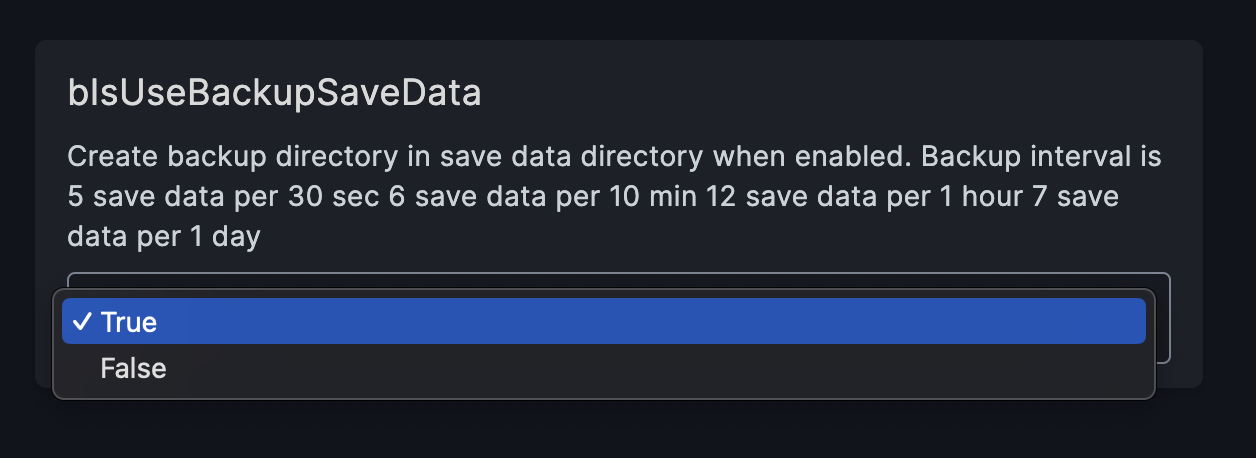
Once the `bIsUseBackupSaveData` setting is enabled, it will create a backup interval for 5 saves per 30 seconds, 6 saves per 10 min, 12 saves per hour, and 7 saves per day. Here are the steps:
## Enabling automatic backups
To enable autosaves on your [berrybyte](https://berrybyte.net) server, follow these steps:
1. Open the **Palworld Settings** tab
2. Find the `bIsUseBackupSaveData` option and set it to **True**
 3. **Restart** the server
## Enabling automatic backups (Manual)
Self-hosting your server or need to do it the manual way? You can edit the PalworldSettings config to enable autosaves:
1. **Stop** the server
2. Navigate to `Pal/Saved/Config/LinuxServer/PalWorldSettings.ini`
3. Find the `bIsUseBackupSaveData` option and set it to **True**
4. **Save** the file
5. **Start** the server
This will enable autosaves for your Palworld server and you can [restore backups on your Palworld server](./restore-autosave-backup) at any time. The backup interval is Create backup directory in save data directory when enabled.
Need help setting up backups for your [Palworld dedicated server](https://berrybyte.net/palworld-server-hosting)? Shoot us a message in our
[community Discord server](https://berrybyte.net/discord) or [contact the Berry team](https://berrybyte.net/support).
3. **Restart** the server
## Enabling automatic backups (Manual)
Self-hosting your server or need to do it the manual way? You can edit the PalworldSettings config to enable autosaves:
1. **Stop** the server
2. Navigate to `Pal/Saved/Config/LinuxServer/PalWorldSettings.ini`
3. Find the `bIsUseBackupSaveData` option and set it to **True**
4. **Save** the file
5. **Start** the server
This will enable autosaves for your Palworld server and you can [restore backups on your Palworld server](./restore-autosave-backup) at any time. The backup interval is Create backup directory in save data directory when enabled.
Need help setting up backups for your [Palworld dedicated server](https://berrybyte.net/palworld-server-hosting)? Shoot us a message in our
[community Discord server](https://berrybyte.net/discord) or [contact the Berry team](https://berrybyte.net/support).