> ## Documentation Index
> Fetch the complete documentation index at: https://docs.berrybyte.net/llms.txt
> Use this file to discover all available pages before exploring further.
# Convert a Bedrock World to Java Edition
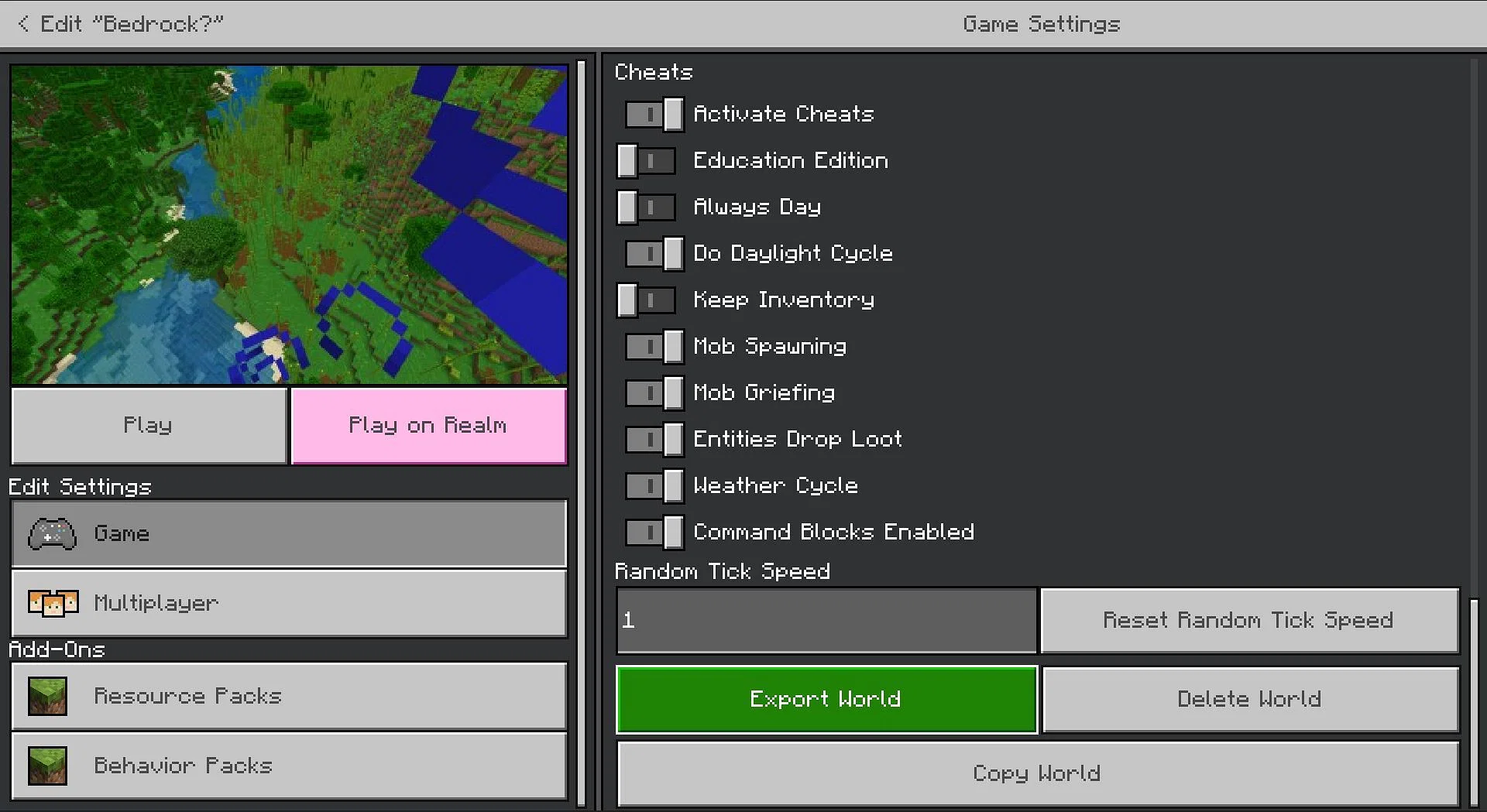
> How to use Chunker to convert your Minecraft Bedrock world to Java Edition.
Convert your Minecraft Bedrock worlds to Java using [Chunker](https://chunker.app/), a tool developed by the HiveMC team.
Note: Conversion isn't perfect due to differences between the two editions.
## Export Your Bedrock World
1. Open Minecraft Bedrock Edition
2. Click **Play**
3. Find the world you want to convert and click the edit button (pencil icon)
4. Click **Export World** at the bottom of the Game Settings page
5. Save the `.mcworld` file to your computer
 ## Converting the World
1. Go to [chunker.app](https://chunker.app/)
2. Click **Upload archive**
3. Select your `.mcworld` file
4. Click **Start Upload**
5. Select the Java Edition version you want (keep it consistent with your server)
6. Click **Convert & Download** and wait
7. Click **Download** when done
Download links are valid for **30 minutes**.
Once downloaded, copy the world folder into your Java Edition saves folder.
For more details, see our [complete Chunker guide](./convert-world).
Need help? Ask in our [Discord](https://berrybyte.net/discord) or [contact support](https://berrybyte.net/support).
## Converting the World
1. Go to [chunker.app](https://chunker.app/)
2. Click **Upload archive**
3. Select your `.mcworld` file
4. Click **Start Upload**
5. Select the Java Edition version you want (keep it consistent with your server)
6. Click **Convert & Download** and wait
7. Click **Download** when done
Download links are valid for **30 minutes**.
Once downloaded, copy the world folder into your Java Edition saves folder.
For more details, see our [complete Chunker guide](./convert-world).
Need help? Ask in our [Discord](https://berrybyte.net/discord) or [contact support](https://berrybyte.net/support).